

























Our new Cuttings Cart is here!
10 December 2025
We know how important it is to get your hands on the perfect fabric sample quickly - so we've made it easier than ever to request
multiple cuttings in one go! Whether you’re sourcing for a client project, planning a presentation, or exploring our latest collections, our
updated Cuttings Request process has been designed to be smoother, faster, and smarter. Here’s how it works...
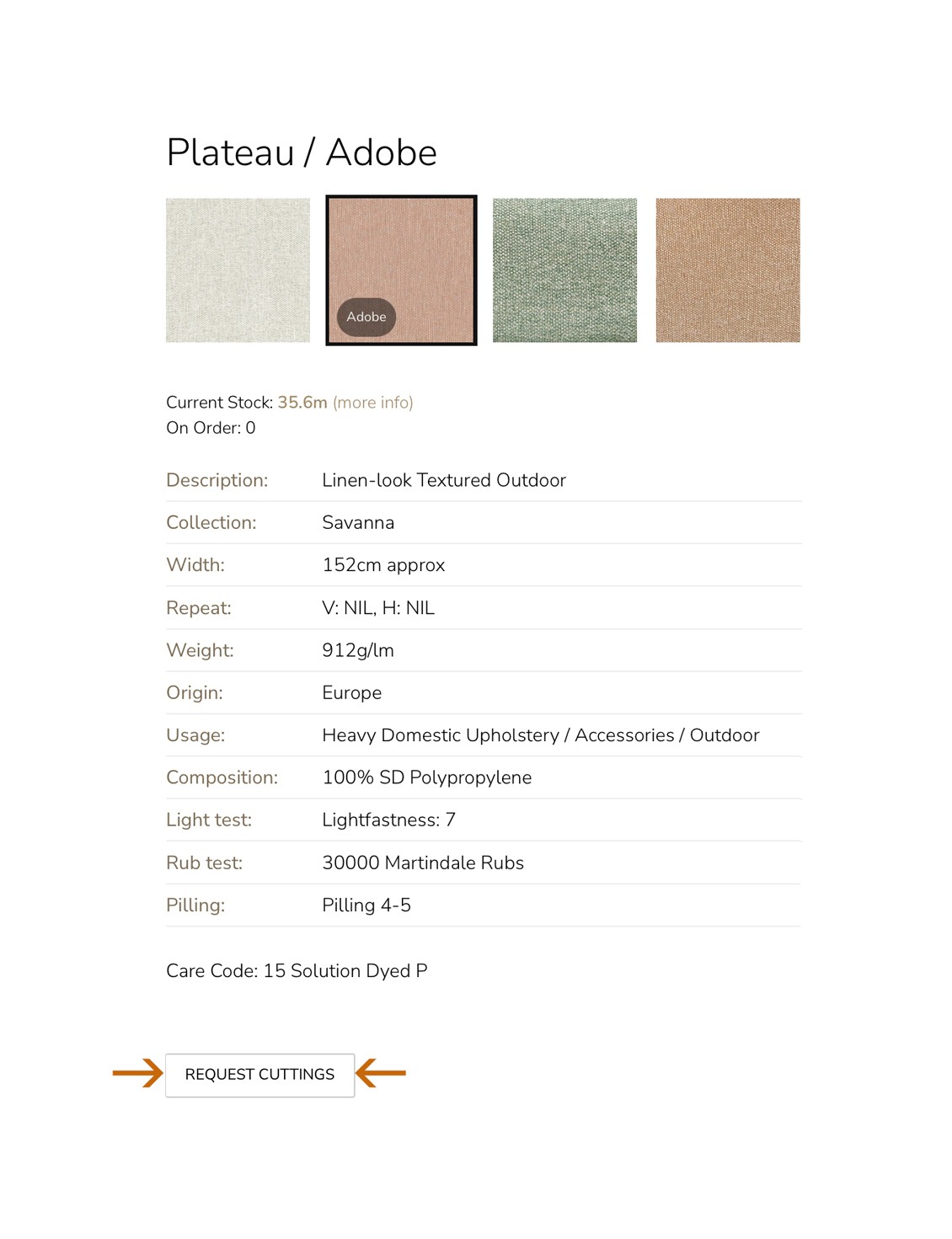
Step 1 - When you want to request a cutting
On any product page, click “Request Cuttings” for the designs and colourways you’d like to sample. This adds them straight
into your Cuttings Cart - just like adding items to an online cart.
Step 2 - Preview Your Selections
As soon as you add a cutting, a preview appears showing everything in your cart. You can quickly check what you’ve selected as you
browse.
Step 3 - View All Cutting Requests
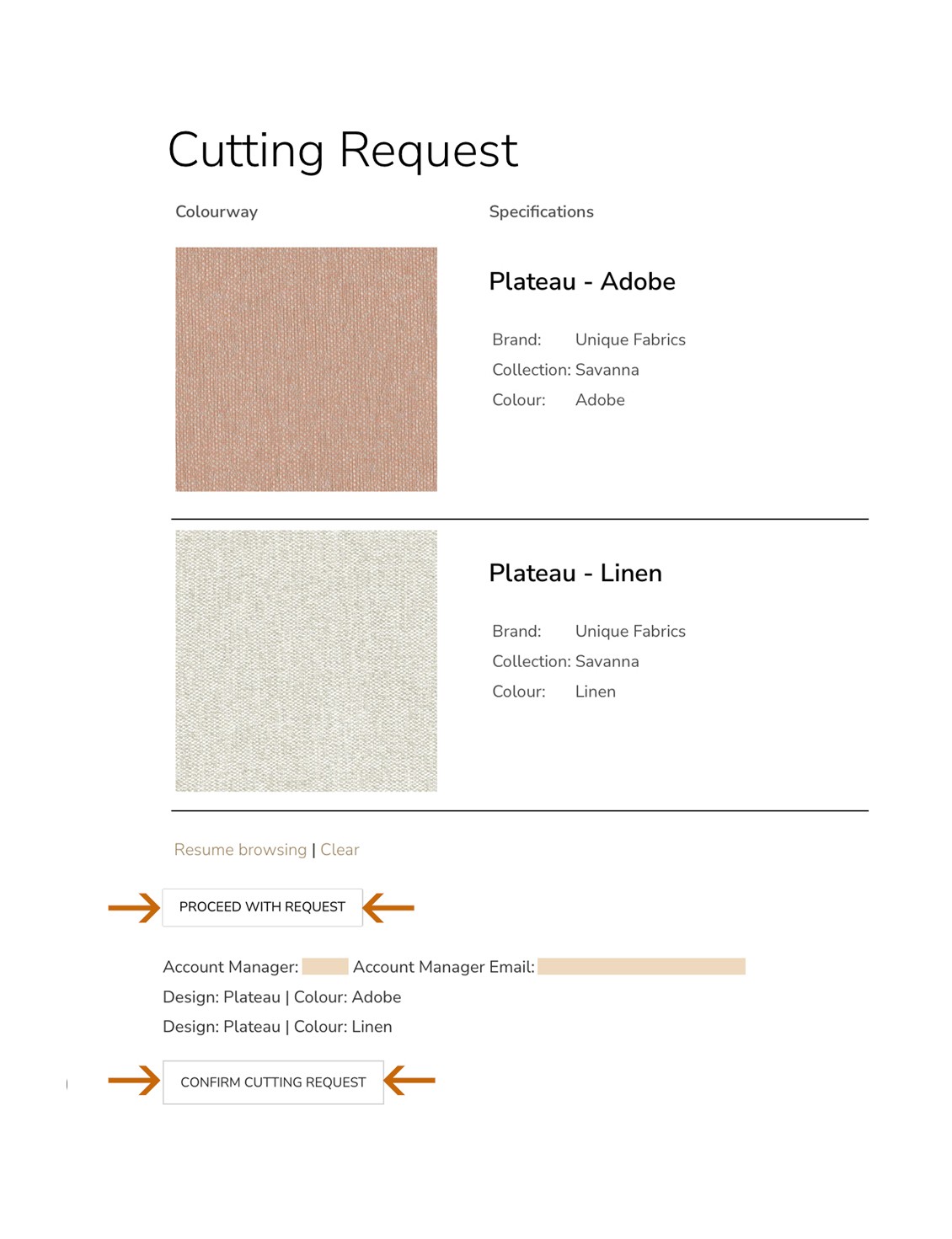
When you’re ready to confirm your cutting request, click “View All Cutting Requests” or the Cuttings Cart icon at the top of the site. Here you’ll see a full list of your selected designs, brands, and colourways.
Step 4 - Confirm & Send!
When you’re happy with your list, simply hit “Proceed with Request”, and then click “Confirm Cutting Request.” Our team will handle the rest and get your samples on their way!
Why You’ll Love the Upgrade
Request multiple samples across collections - all at once.
Preview and refine your requests in real time.
Effortless and secure checkout-style flow from start to finish.
Pro Tip ... Use the Cuttings Cart icon anytime to quickly access your saved selections before confirming your request. Keep
browsing and add more as inspiration strikes!